Robostorm.io is a multiplayer robot fighting game in which there are robot fights in a 3D arena that can be destroyed. In the game, you have to assist in capturing some significant regions rather than trying to just destroy the enemies.
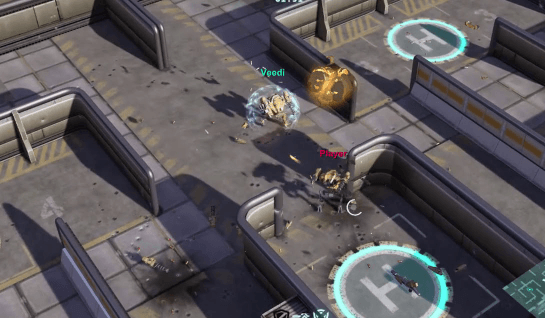
There are five locations on the battlefield map that should be captured by your team. You are supposed to defeat the enemies and capture the locations to earn XP. You can spend this XP on upgrades that will improve your robot and allow you to do better in future battles.
Two types of weapons are available to the robots in the game and should be used in combination for attacks. There are various types of weapons, some of which are suitable for different situations. Shotguns are very useful in close combat, whereas grenades can bounce off walls and strike enemies from any direction.
Injuries happen, but getting injured for a long time may lead to your quick defeat. There are small repair cabins in each corner of the map where you can repair your robot. Making a timely return to the safety zone will help you stay in the battle and preserve your squad's position.
Move around rather than remaining stationary and getting yourself killed; don't forget that you can buy upgrades when you have earned enough XP. Try out different types of weapons to see what works well with your style of playing. Be cautious about using explosives, as rockets and grenades could harm your own robot too. Don't walk into your own flamethrower flames.